


So you finally launched the website. Maybe a friend built it. Maybe you paid an agency. Maybe you cobbled it together over a few weekends. Now it sits there, and you’re not sure what comes next. Updates? Backups? Security? Speed checks? Most owners just hope nothing breaks. That hope usually runs out.
That’s where website management services for small businesses come in. They handle the boring, technical, and behind-the-scenes work so your site keeps working while you focus on running the company. Let’s walk through what they actually do, what they cost, and how to pick the right one.
Why Small Businesses Need Website Management Services?
The U.S. Small Business Administration’s Office of Advocacy reports that there are more than 36 million small businesses in the United States. Most of them rely on a website to bring in leads, take orders, or build trust. Yet many of those sites are barely touched after launch. Plugins go stale, content gets outdated, security holes open up, and load times creep higher. A site is part of your business information technology stack, and like the rest of that stack, it needs ongoing care to stay useful.
Cyberattacks make it worse. The Cybersecurity and Infrastructure Security Agency (CISA) warns that small businesses are three times more likely to be targeted by cybercriminals than larger companies, and that websites are among the most common entry points. A managed site closes those gaps before they cost your customers.
What’s Included in Website Management Services for Small Business
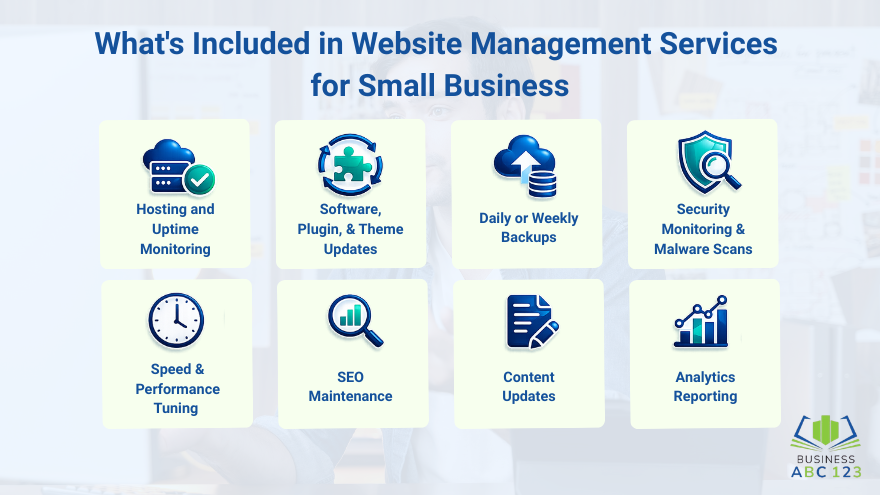
Different providers package things differently, but most cover the same core areas that keep strong business operations running behind your site:
- Hosting and uptime monitoring so the site stays online around the clock
- Software, plugin, and theme updates to patch security holes and add features
- Daily or weekly backups so you can recover the site fast if something breaks
- Security monitoring and malware scans to catch threats early
- Speed and performance tuning to keep load times low
- SEO maintenance like broken link fixes, meta tag updates, and sitemap care
- Content updates when you need to add a blog post, swap a photo, or change pricing
- Analytics reporting so you actually know what your site is doing each month
Good providers bundle most of this into a flat monthly fee.
How Much Do Small Business Website Management Services Cost?
The honest answer is that it depends on what’s included and how complex your site is. Most plans fall into three rough tiers:
- Basic maintenance ($50 to $150 per month): updates, backups, basic security
- Standard management ($150 to $500 per month): everything in basic, plus content updates, performance tuning, and monthly reports
- Full-service management ($500 to $2,000+ per month): everything in standard, plus SEO work, design tweaks, and dedicated support
Think of it like car maintenance. You pay a little every month, or you pay a lot when something breaks. A site that goes down for two days during a sales push usually costs more than a year of management.
How Website Management Services Handle Security
Security is the single biggest reason most small businesses sign up for a managed service. A good provider locks down your site so you don’t have to think about it. The work usually covers:
- SSL certificate setup and renewal so the site loads over HTTPS.
- Firewall and malware scanning are running in the background.
- Automatic plugin and core software patches to close known vulnerabilities.
- Encrypted, off-site backups are taken daily so you can restore the site fast.
- Login protection, like rate limiting, two-factor authentication, and admin user audits.
- Real-time monitoring that flags suspicious activity before damage is done.
The Cybersecurity and Infrastructure Security Agency recommends these same controls as the baseline for any small business website. A managed service bakes them in by default.
What to Look For When Picking a Provider
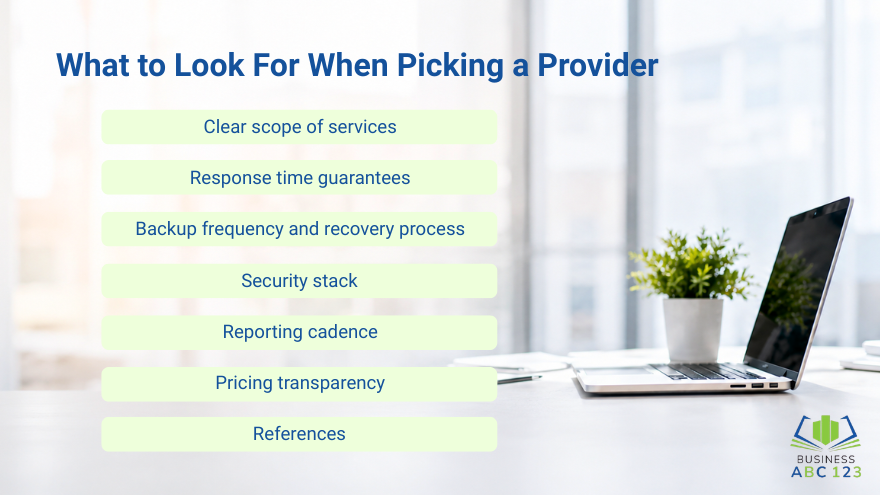
The market is crowded, and not every provider does great work. Use this short checklist:
- Clear scope of services. Get a written list of what’s included and what costs extra.
- Response time guarantees. “We’ll get to it” isn’t an SLA.
- Backup frequency and recovery process. Daily is the baseline.
- Security stack. Ask what tools they use for malware scanning, firewall, and monitoring.
- Reporting cadence. Monthly reports keep them accountable.
- Pricing transparency. Watch out for “starting at” prices that balloon after onboarding.
- References. Talk to a current client in your industry.
Picking the right partner means fewer surprises and a site that quietly does its job.
Measuring If Your Website Management Is Actually Working
Once a provider takes over, watch the numbers. Vanity metrics like page views are nice, but the ones that matter are:
- Uptime percentage (aim for 99.9% or higher)
- Page load speed (under 3 seconds on mobile)
- Number of security incidents caught and resolved
- Organic traffic trends
- Conversion rate (form fills, calls, sales)
If those numbers are flat or sliding after three months, ask hard questions or move on.
Final Thoughts
Running a business is enough work. The website should support you, not become another fire to put out every week. Good website management services for small businesses provide uptime, security, speed, and peace of mind at a predictable monthly cost. That’s it: no drama, no surprises, no panic on a Saturday morning when the site goes down.
Start by listing what your site needs, then match that list against three or four providers. Ask for written scopes, ask about security, and ask for references. Pick the one that fits your size and budget, not the one with the flashiest pitch. Your site is one of the most valuable pieces of technology to grow your business, and it deserves the same care you give the rest of the company.
FAQs
What’s the difference between website maintenance and website management?
Maintenance covers the basics, such as updates and backups, while management includes content changes, SEO upkeep, analytics, and strategic improvements over time.
Do I really need a managed service if I use Wix or Squarespace?
Hosted builders handle updates and security, but you still need someone to manage content, SEO, performance, and integrations as the site grows.
How long does it take to switch providers?
Most reputable providers can take over an existing site in one to two weeks, including audit, handoff, and setup of their monitoring tools.
Can one person handle everything in-house?
For a small site, maybe. But once you need security monitoring, SEO, design, and content updates, one person usually can’t keep up without dropping something.
What’s the biggest mistake small businesses make with their websites?
Treating the website as a one-time project instead of an ongoing asset. The sites that drive real revenue are the ones that get steady attention every month.