


An information technology disaster recovery plan helps businesses recover quickly when systems fail, data is lost, or operations suddenly stop. These problems can happen at any time. A cyber attack, hardware failure, power outage, or human mistake can create serious delays if there is no plan in place.
Many businesses assume they can solve problems when they happen. In reality, downtime can cost money, hurt customer trust, and create stress for the whole team. A clear disaster recovery plan gives your business a faster path back to normal.
In this guide, we’ll go through what an IT disaster recovery plan is, why it matters, and how to build one that works.
What Is a Disaster Recovery Plan in Information Technology?
A disaster recovery plan is a written process that explains how your business will restore systems, data, and operations after a disruption.
It focuses on business information technology, including:
- Computers and servers
- Cloud platforms
- Business software
- Email systems
- Customer databases
- Internet and network access
Many people confuse backups with a full recovery plan. Backups are only one part of the process. A full disaster recovery plan also covers who responds, what gets restored first, and how long recovery should take. It is also a key part of business continuity planning, which focuses on keeping the company running during difficult situations.
How to Create a Disaster Recovery Plan with Information Technology
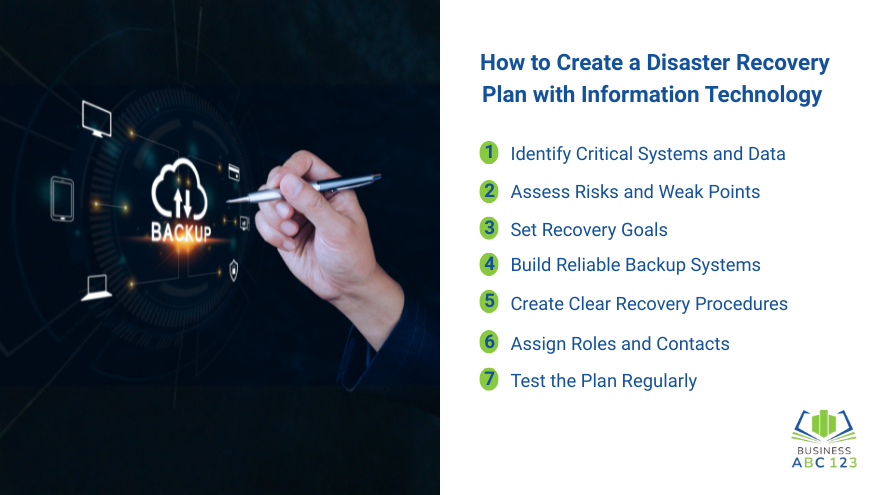
Here are the key steps to build a strong disaster recovery plan using information technology.
Step 1: Identify Critical Systems and Data
Start by listing systems your business depends on every day.
Ask questions like:
- What systems must return first?
- What data is most important?
- What can wait a few hours or days?
Examples may include payment systems, customer records, inventory tools, and communication platforms. This step helps you set priorities during recovery.
Step 2: Assess Risks and Weak Points
Look at where problems may happen.
Check areas like:
- Old hardware
- Weak passwords
- No backup process
- Single internet provider
- No remote access option
- Poor vendor support
Knowing your weak points helps you improve before a crisis starts.
Step 3: Set Recovery Goals
Two common goals matter in planning:
- How quickly systems should return
- How much recent data loss is acceptable
For example, some businesses need systems back in one hour. Others can wait longer. These goals shape your IT recovery solutions and backup setup.
Step 4: Build Reliable Backup Systems
Backups are the backbone of recovery.
Strong IT backup and recovery plans often include:
- Daily automatic backups
- Cloud backups
- Offsite copies
- Version history for files
- Encrypted storage
Make sure backups run consistently. Also, check if they can be restored properly.
Step 5: Create Clear Recovery Procedures
Write step-by-step actions for common problems.
Examples:
- Who confirms the outage
- Who contacts vendors
- How backups are restored
- How staff access remote systems
- How customers are updated
Keep instructions clear and simple. During stressful moments, people need easy directions.
Step 6: Assign Roles and Contacts
Every plan should show who handles what.
Include:
- IT lead
- Department contacts
- Vendors
- Internet provider
- Cloud provider
- Management contacts
Also, keep phone numbers and email details updated.
Step 7: Test the Plan Regularly
Many businesses create a plan and never test it. That is risky.
Run practice drills, including:
- Simulated server outage
- Lost file recovery test
- Ransomware response scenario
- Remote work failover test
Testing reveals problems before a real emergency happens. This is one of the best practices for disaster recovery plans.
Benefits of a Disaster Recovery Plan with Information Technology
The benefits of a disaster recovery plan go beyond fixing problems.
It can also help your business:
- Build trust with customers
- Reduce panic during outages
- Recover faster than competitors
- Protect long-term growth
- Improve internal organization
- Support smoother operations as IT improves business
Planning creates confidence because people know what to do.
Common Risks That Can Break IT Systems
Every company faces different risks, but some issues are common across industries.
- Cyber Attacks and Ransomware: Hackers may lock files, steal data, or block access to systems. Without backups and recovery steps, recovery can take a long time. Strong cyber attack protection can also help reduce the risk of these problems before they happen.
- Hardware Failure: Servers, computers, and storage devices can fail without warning. Even newer equipment can break.
- Human Error: Files may be deleted by mistake. Wrong settings can also create outages.
- Power or Internet Outages: Losing power or internet access can stop operations, especially for cloud-based businesses.
- Fire, Flood, or Physical Damage: Natural disasters and building damage can affect offices, hardware, and network equipment.
Good IT disaster management starts by knowing these risks.
Helpful Technology Tools for Disaster Recovery
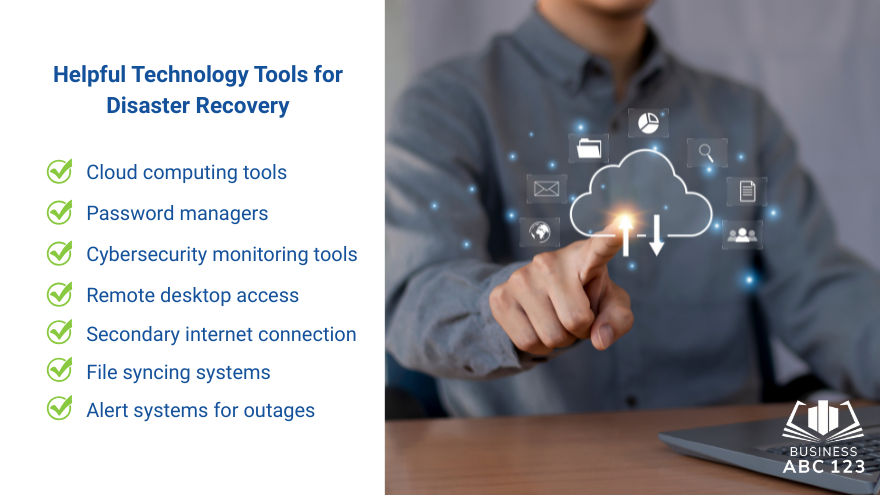
Technology can make recovery faster and smoother.
Useful tools include:
- Cloud computing tools
- Password managers
- Cybersecurity monitoring tools
- Remote desktop access
- Secondary internet connection
- File syncing systems
- Alert systems for outages
Many of these are also must-have business tools that help new companies stay secure and organized from the start.
The right tools depend on business size, budget, and daily operations.
Common Disaster Recovery Mistakes to Avoid
Even good businesses make avoidable mistakes.
- No Testing: A backup that has never been restored may fail when needed.
- Outdated Contact Lists: Old phone numbers waste time during emergencies.
- No Priority Order: Trying to restore everything at once can slow recovery.
- Ignoring Cloud App Data: Some assume that cloud apps automatically back up everything. That is not always true.
- No Written Plan: If knowledge stays only in one employee’s head, the business is vulnerable.
Use an IT disaster recovery plan checklist to regularly review these areas.
Final Thought
An information technology disaster recovery plan is something many businesses realize they need only after a problem occurs. Having one in place helps you stay calm during system failures, data loss, or unexpected downtime because everyone already knows what to do. It makes recovery faster, reduces confusion, and helps keep the business running with less disruption. In the end, businesses that take time to set up an information technology disaster recovery plan are usually the ones that recover more quickly and handle challenges with more confidence.
FAQs
What is the importance of a disaster recovery plan with information technology?
The importance of a disaster recovery plan with information technology is that it helps businesses restore systems quickly, reduce downtime, protect data, and continue operations after disruptions.
How to create a disaster recovery plan with information technology?
Start by identifying critical systems and data, assessing risks, setting recovery goals, creating backups, assigning team roles, and regularly testing the plan.
What are the best practices for disaster recovery plans?
Best practices include keeping backups up to date, regularly testing recovery steps, assigning clear responsibilities, documenting procedures, and reviewing the plan after system changes.
What are the benefits of creating a disaster recovery plan?
The benefits include faster recovery, lower financial losses, better data protection, improved customer trust, and less stress during emergencies.
What is an IT disaster recovery plan checklist?
An IT disaster recovery plan checklist is a list of key items to review, such as backup status, critical systems, contact details, recovery steps, testing schedule, and security procedures.