


Automation in business operations is now something many companies rely on every day. In 2026, the focus is no longer just on working faster, but on removing repetitive tasks so systems can handle routine work instead. This allows teams to spend more time on work that requires human thinking, such as decision-making, planning, and building customer relationships.
A big reason for this shift is how simple modern tools have become. You no longer need a complex setup or a large tech team to get started. Even small businesses can now connect apps, automate workflows, and reduce manual work with ease, which is why there are many reasons to automate today. This guide will show you how to start automating your business operations step by step using simple methods that work in real situations.
Understanding Business Operations Automation
Business operations automation means setting up your daily tasks so they run with less manual effort. Instead of doing everything by hand, you connect tools and systems so work flows automatically. To fully understand this, it helps to first look at what business operations are and how they work in a business setting.
There are three simple levels:
- Task automation: Small actions like sending an email or saving a file
- Workflow automation: A full process like lead capture to follow-up
- Process automation: End-to-end systems that run with minimal input
Many businesses now use automation to reduce delays and human errors while keeping operations smooth and consistent. Common uses include auto-replying to customer inquiries, sending invoices after sales, updating records, and assigning tasks without manual follow ups.
Because of this, business process automation has become an important part of how growing companies manage their daily operations.
Step-by-Step: How to Automate Your Business Operations in 2026
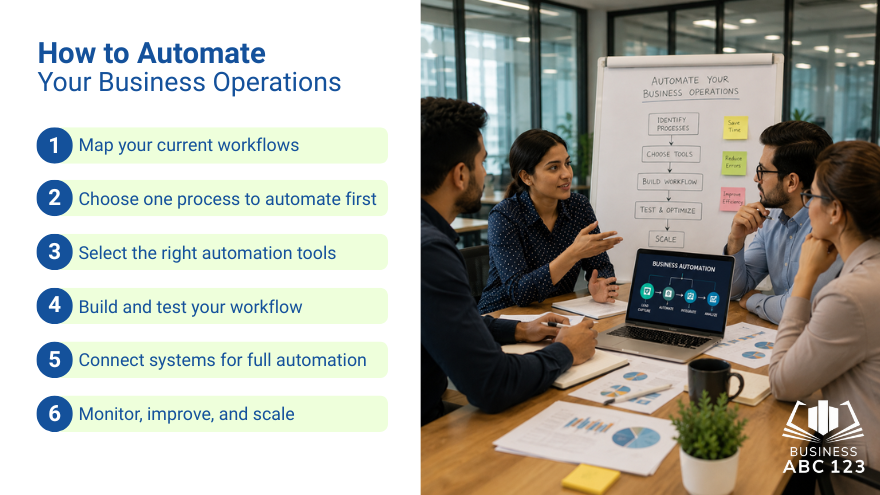
Step 1: Map your current workflows
Start by listing your daily tasks and focusing on what you repeat most often, as well as where delays usually happen.
Ask yourself:
- What tasks do I do every day or week?
- Where do delays usually happen?
- What tasks feel boring or repetitive?
This helps you clearly see which areas of your work can benefit most from automation. It also shows where automation will have the biggest impact. Many people skip this step and go straight to tools, which often leads to confusion later on.
Step 2: Choose one process to automate first
Do not try to automate everything at once. That often leads to mess and frustration.
Pick one simple process like:
- Customer follow-up emails
- Appointment booking
- Invoice reminders
- Lead tracking
Start small. Once it works well, then move to the next one.
This approach keeps small business automation realistic and easier to manage.
Step 3: Select the right automation tools
Now choose tools that match your needs. You don’t need a long list of apps, just a few that work well together and are easy to connect.
Focus on platforms that integrate smoothly and don’t require complicated setup. It’s better to use tools that support full workflows instead of ones that only handle single tasks.
Examples include:
- Workflow automation platforms
- CRM systems with built-in automation features
- Email and messaging tools with triggers
- Task management apps
The goal is not to collect tools. The goal is to connect them.
Step 4: Build and test your workflow
Now set up your first workflow.
Example:
A new customer fills out a form → system sends welcome email → task is created for sales follow-up
Keep it simple at first. Test it a few times before fully using it.
Check:
- Did every step trigger correctly?
- Was the timing right?
- Did anything break or skip?
Fix small issues early. This saves time later.
Step 5: Connect systems for full automation
Once one workflow is working well, start connecting other systems together.
For example:
- CRM connects with your email system
- Sales data connects with invoicing
- Support tickets connect with team task boards
At this stage, your tools start working as one system instead of separate apps. Data moves automatically between them, so you don’t have to manually transfer information or switch between platforms.
The less time you spend jumping between tools, the smoother and faster your operations become.
Step 6: Monitor, improve, and scale
Automation doesn’t end after setup. You still need to check if it is working properly in real situations.
Review your workflows regularly and look for issues like:
- Tasks still being done manually, such as manual data copying from emails to spreadsheets
- Delays in steps, such as missed follow-ups on leads
- Errors or missed actions, like invoices not being sent correctly
- Tools not syncing properly, leading to extra manual work
For example, if your CRM is meant to send follow-up emails but some leads are still being contacted manually, it means the automation needs adjustment.
As your business grows, your automation should grow with it. Add new workflows step by step, improve existing ones when needed, and remove anything that no longer fits your process. This is one of the key areas where learning how to improve business operations can help you refine and scale your systems more effectively.
Common Mistakes Businesses Make When Automating
Many businesses try automation but don’t get the results they expect. These issues usually come from rushing the setup process. Here are the most common reasons why:
- Automating too many things at once
- Not planning workflows properly
- Using tools that do not connect well
- Ignoring testing before full use
- Forgetting to update workflows when the business changes
Avoiding these mistakes helps keep your system stable, reliable, and easier to manage.
How to Scale Automation Without Breaking Your Business
Scaling is where many businesses struggle. Things can break if everything is rushed.
Here’s what helps:
- Add automation one process at a time
- Keep workflows simple and clear
- Document each process so your team understands it
- Leave room for human checks in important steps
- Review systems every few months
Think of it like building blocks. Each new automation should sit well with the rest.
This keeps your business automation 2026 strategy steady and flexible.
The Future of Business Operations: Fully Connected AI Workflows
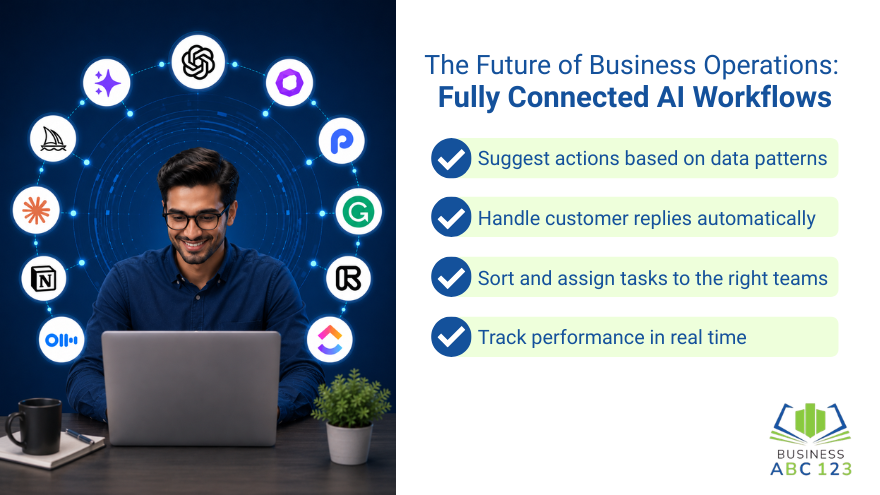
More businesses are now using AI tools that manage entire workflows, not just individual tasks. Many companies already rely on systems that automatically respond to customers, organize data, and assign tasks based on triggers.
These systems can:
- Suggest actions based on data patterns
- Handle customer replies automatically
- Sort and assign tasks to the right teams
- Track performance in real time
Instead of replacing people, these tools reduce repetitive work so teams can focus on decision-making and problem-solving. Routine processes often run quietly in the background with minimal manual input. This shift aligns with future technology trends in business.
Because of this, AI workflow automation is becoming a normal part of daily business operations, not just an optional upgrade.
Final Thoughts
Getting started with automation in business operations does not need to be complicated. You don’t need a perfect setup. You just need to start with one small process and build from there.
When you slowly connect your systems and reduce manual work, your business becomes easier to manage and more consistent. Over time, this approach helps you save time, reduce errors, and focus on work that actually grows your business, which is also important when building a strong business strategy.
FAQs
What is automation in business operations?
Automation in business operations means using tools and systems to handle repetitive tasks instead of doing everything manually. This includes things like sending emails, updating records, managing invoices, and assigning tasks. The main goal is to save time and reduce mistakes in daily work.
What business processes should I automate first?
Start with simple tasks you do every day that take up time. Common examples are customer follow-ups, invoice reminders, appointment scheduling, and lead tracking. These are usually the easiest to automate and give quick improvements without changing your whole workflow.
Do small businesses really need automation?
Small businesses benefit greatly from automation because it reduces workload and helps teams stay focused on customers and growth. Even simple tools like email replies or reminders can save hours each week and improve consistency.
What are the most common mistakes in business automation?
The biggest mistakes are trying to automate too many things at once, not testing workflows properly, and using tools that don’t work well together. Another common issue is forgetting to update automations when the business changes, which can cause errors.
How does AI affect business automation in 2026?
AI is making automation smarter by handling more complex tasks like sorting data, responding to customers, and suggesting actions. Instead of following fixed rules, AI-based systems can adapt based on patterns, helping businesses run more smoothly with less manual work.