


Running a business often means repeating the same tasks every day. Answering emails, posting content, onboarding clients, or handling orders can quickly become overwhelming if there’s no clear process in place. That’s where standard operating procedures come in. They help you document how things should be done so you don’t have to explain everything again and again.
Instead of relying on memory or constant supervision, SOPs give your team something they can follow step by step. This makes work more consistent, reduces mistakes, and saves time in the long run while improving your business operations. In this guide, you’ll learn how to create simple and effective standard operating procedures that actually make your daily operations easier.
What Is a Standard Operating Procedure (SOP)?
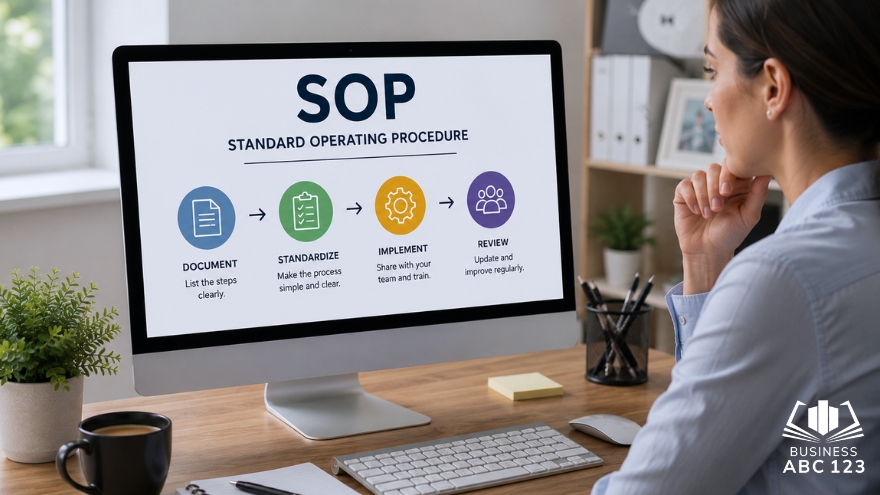
If you’ve ever had to explain the same task over and over again, you already understand why standard operating procedures matter.
A standard operating procedure, or SOP, is a simple set of written steps that shows how to complete a task the right way every time. Think of it like a guide your team can follow without needing to ask questions.
For example, in managing small businesses, you might have SOPs for:
- Onboarding a new client
- Posting on social media
- Handling customer complaints
- Processing orders
It’s not complicated. It’s just writing down what works so anyone can repeat it.
Some people confuse SOPs with checklists. They’re similar, but not the same. A checklist is short and quick. An SOP explains things in more detail, especially when steps need context.
Step-by-Step Guide to Writing SOPs
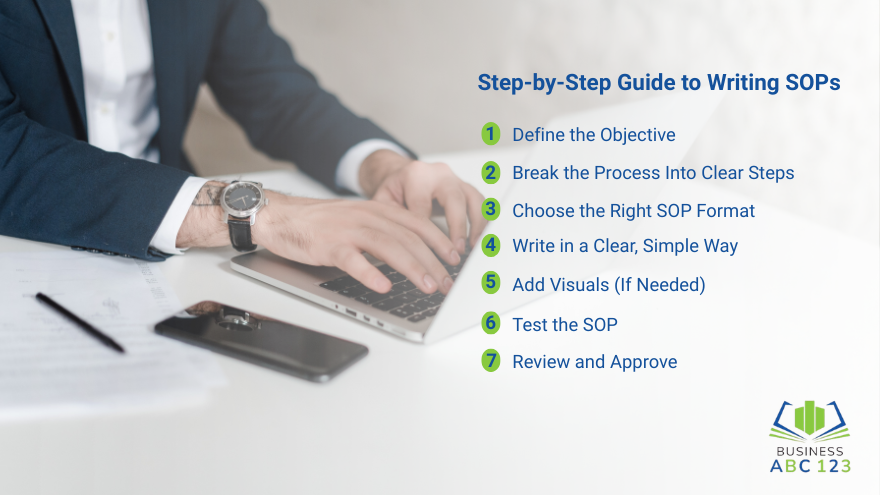
Let’s break this down into simple steps you can follow.
Step 1: Define the Objective
Start with one question. What is this SOP trying to achieve?
Be clear about the outcome. For example:
- “Publish a blog post on the website.”
- “Respond to customer emails within 24 hours.”
Keep it specific. If the goal is vague, the steps will be confusing.
Step 2: Break the Process Into Clear Steps
Now list every step needed to complete the task.
Don’t skip anything, even if it feels obvious. What’s obvious to you might not be obvious to someone else. Skipping steps is one of the most common mistakes in business operations, especially when processes are not clearly documented.
Write the steps in order. Each step should focus on one action.
Bad example:
- “Check email and reply to customer.”
Better:
- Open the email inbox
- Read the message carefully
- Click reply
- Type your response
- Click send
Simple. Clear. Easy to follow.
Step 3: Choose the Right SOP Format
Not all SOPs look the same. Pick a format that fits the task.
Here are the most common ones:
- Step-by-step format: Best for simple tasks with a clear sequence.
- Checklist format: Great for quick tasks that don’t need much explanation.
- Flowchart format: Useful if decisions are involved, like “if this happens, do this.”
Don’t overthink it. Start simple. You can always improve later.
Step 4: Write in a Clear, Simple Way
This is where many people go wrong. They try to sound formal, and the SOP becomes hard to read.
Write like you’re explaining the task to a coworker.
Use:
- Short sentences
- Direct instructions
- Everyday words
For example:
- Say “Click the submit button” instead of “The submit button should be clicked.”
Avoid long paragraphs. Break things into small sections so it’s easier to scan.
Your goal is clarity, not sounding smart.
Step 5: Add Visuals (If Needed)
Some tasks are easier to understand with visuals.
You can include:
- Screenshots
- Arrows or highlights
- Simple diagrams
For example, if your SOP involves using a tool or software, screenshots help a lot, especially if you plan to automate your business processes later on. People can see exactly where to click.
Just don’t overload it. Use visuals only where they make things clearer.
Step 6: Test the SOP
Before you finalize anything, test it.
Ask someone who is not familiar with the task to follow your SOP. Watch what happens.
Do they get stuck?
Do they ask questions?
Do they miss steps?
This step is important. It shows you what needs fixing.
A good SOP should work without extra explanation.
Step 7: Review and Approve
Once you’ve tested it, review the SOP.
Check for:
- Missing steps
- Confusing instructions
- Typos or unclear wording
If needed, get feedback from your team. Then finalize it and make it accessible.
Store your SOPs in a place where everyone can easily find them. A shared folder or workspace works well.
Common Mistakes to Avoid When Creating SOPs
Even simple SOPs can go wrong if you’re not careful. Here are some common mistakes to watch out for.
- Writing too much – Long SOPs can be hard to follow. Stick to what’s needed.
- Being too vague – If your steps are unclear, people will still ask questions. Be specific.
- Skipping steps – What feels obvious to you might not be obvious to someone else.
- Using complicated language – Simple words work best. Always.
- Not updating SOPs – Processes change. Your SOPs should too.
- Creating SOPs that no one uses – If your SOP is hard to find or understand, people will ignore it.
Good standard operating procedures should make work easier, not harder.
Final Thoughts
Creating standard operating procedures doesn’t have to be complicated. Start with one task. Write down the steps. Test it. Improve it.
That’s it.
You don’t need perfect SOPs on day one. You just need something your team can actually use. Over time, you can refine and update them as your process improves and align them with your business strategy.
If you’ve been relying on memory or constant explanations, this is your sign to start documenting. Even a few basic standard operating procedures can make a big difference in how your business runs.
FAQ
What is the best format for an SOP?
It depends on the task. Step-by-step works for most cases. Use checklists for quick tasks and flowcharts for decision-based processes.
How long should an SOP be?
As long as needed to explain the task clearly. Keep it short, but don’t skip important steps.
Who should create SOPs?
The person who knows the process best. You can also involve team members who do the task daily.
How often should SOPs be updated?
Review them regularly, especially when processes change. Even small updates help keep things accurate.
Are SOPs only for big businesses?
No. Small businesses benefit just as much, sometimes even more. SOPs help keep things organized as you grow.